
a recreated take on Hokusai's Great Wave, adapted for this post using Gemini Nano Banana.
as of March 2026, i had already applied to 200+ internships for Summer 2026. the problem was not just the volume. the real problem was the tracking. i was updating a Google Sheet manually, but some applications kept getting lost between LinkedIn, Handshake, and direct company websites.
also, before anyone reads that number and assumes this post ends with a success story: i still have not landed an internship yet. maybe it is the rough market for international students, maybe my CV still needs work, maybe it is both. so this is not me pretending the method is already proven. it is me saying the process is dramatically more efficient.
so i stopped treating the spreadsheet like the system and started treating it like the output. the actual system became Codex in the terminal: local file access, a structured tracker, two resume variants, a memory file for recurring facts, and a running application workflow that can keep logging everything as it goes.
tl;dr: if you do not care about the behind-the-scenes part, do not manually set this up yourself. just paste the block below into your AI agent and let it implement the system for you.
read this article first and implement the same workflow for me:
https://akbar.one/blog-codex-internship-ops.html

also use this Google Sheets template as the source of truth:
https://docs.google.com/spreadsheets/d/1COgg_AXw-NA2RnefuRdz0CRY5VUrivzY8suJUAyuC5g/copy

set up the tracker, read my local resume and transcript files, create role-specific CV variants, keep a memory file with recurring application facts and preferences, and log every successful application back into the sheet.
the rest of this article is for people who want to see how it works behind the curtains, how to prompt it better, and how to make the setup reusable later.
“butun kompga access bering. keyin nafas olasiz faqat.”
one of my friends, march 2026
rough translation from Uzbek: give it access to the whole machine, then just breathe.
why i did it
someone once said, and i do not remember who and care even less, that if you are doing something more than twice a day, it probably should be automated. internship applications were exactly that kind of problem. during peak season in winter 2025, i was applying to around 10 to 20 internships a day and it was easily eating 1 to 2 hours every single day.
i even tried automating it earlier with Perplexity Comet and its browser assistant flow. the problem was speed. it worked by taking screenshots, filling one thing, scrolling, taking another screenshot, and repeating that loop forever. technically impressive, practically painful. it felt like watching an intern apply frame by frame.
then one of my other friends asked me to set up an AI agent on his terminal and asked whether it could apply to internships for him. i honestly did not know that was even something it could do cleanly. when i saw it actually work, that was the eureka moment.
for a lot of STEM internships, especially early screening forms, there is no essay, no original portfolio write-up, no long job-specific answer. it is usually some variation of:
- name, email, phone, location
- school, major, graduation date, sometimes GPA
- resume upload
- work authorization, citizenship, sponsorship
- LinkedIn, GitHub, portfolio
once i realized that, it felt silly to keep pretending every one of those forms needed full manual effort.
what i gave codex
i did not just say “go apply to internships.” i gave it the context needed to do the job cleanly:
- my resume and transcript from local files
- my work authorization, citizenship, relocation preferences, and other recurring factual answers
- my LinkedIn and Handshake applied-job history pasted directly into the conversation
- my Google Sheet tracker link
- my personal site, akbar.one, for portfolio fields
- instructions to keep organized memory and handoff files for future reuse
important part: i did not ask it to lie.
the workflow only really works if the agent answers employment questions truthfully. in my case that meant being explicit about citizenship, U.S. work authorization, sponsorship, and which export-control forms were safe to submit.
what it built in the first 30 minutes
the first impressive part was not the applications. it was the cleanup. after i pasted my LinkedIn and Handshake history, Codex documented everything properly, rebuilt the tracker in a cleaner schema, and added a new Applied By column so i could distinguish manual applications from agent-submitted ones.
- 200+ summer 2026 applications already in motion
- 30m to normalize the messy tracker into one system
- 2 separate resumes generated for different role types
- 1 google sheet acting as the running source of truth
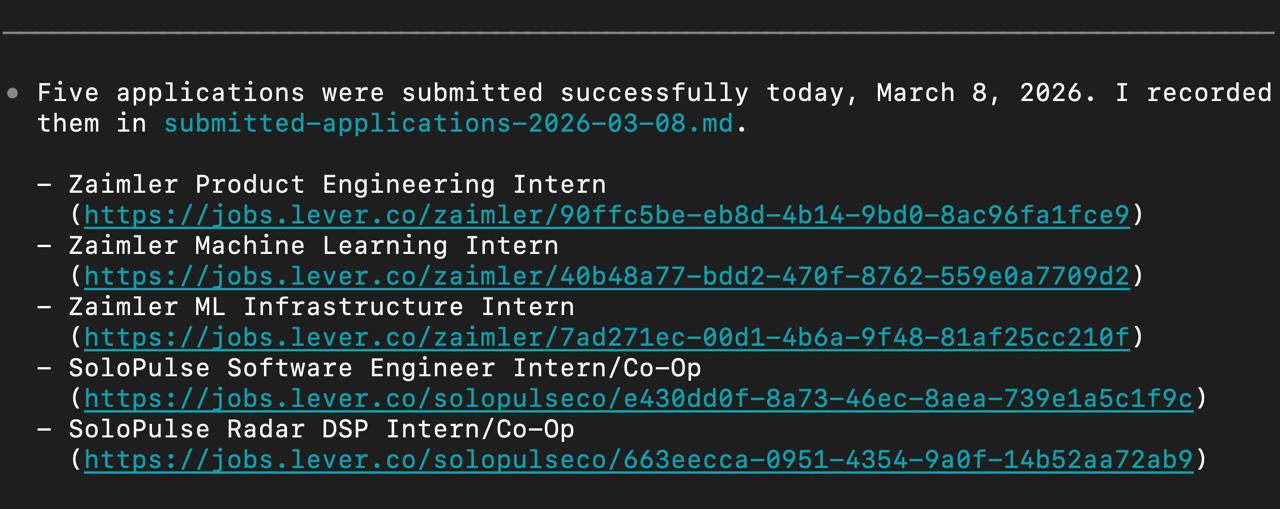
the first time i saw the terminal say it had submitted five internships successfully, this stopped feeling theoretical.
it also recommended something that immediately made sense: stop using one generic CV for everything.
- resume 1: software / AI / data roles
- resume 2: EE / embedded / systems / power roles
and it did not just suggest that. it created LaTeX-ready versions so the resumes were actually reusable, not just a one-time manual rewrite.
the exact workflow
this is the rough sequence i used:
- give Codex local access to the files that matter: resume, transcript, existing tracker files, and website or portfolio links.
- paste historical LinkedIn and Handshake application data into the chat so it can backfill missing rows.
- connect or point it to the Google Sheet you want to use as the tracker of record.
- tell it to keep a memory file or handoff file with the stable facts: citizenship, work authorization, sponsorship, relocation, graduation timeline, links, and preferences.
- let it split your resume into role-specific versions.
- let it keep applying through clean ATS flows, LinkedIn, and Handshake, then log every successful submission and mark platform status when possible.
the first instruction was honestly this simple:
i want you to apply for summer internships for me from any source.
you can use my local files, resume, transcript, linkedin, handshake,
and keep my google sheet tracker updated as you go.
after that, the important follow-up messages were the factual ones:
i am authorized to work in the U.S.
i do not require sponsorship.
my citizenship is uzbekistan.
i am okay with relocation.
use akbar.one when a form asks for a website.
keep my recurring application facts in a memory file.
the tracker
the Google Sheet is what makes the whole thing usable over time. once the agent normalized it, the schema became simple and consistent:
Date, Company, Role, Status, Location, Source, Applied By, URL, Notes, Contact, Compensation, Days Ago, Keythat one extra Applied By column is way more useful than it sounds. it lets me separate:
- applications i submitted manually
- applications Codex submitted
- future workflows if i run multiple agents or tools
i also had Codex keep the local tracker and the Google Sheet in sync, so i could audit both if i wanted to double-check what it actually did.
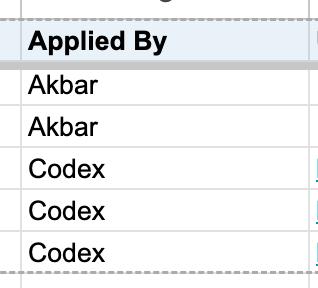
that one extra Applied By column made the sheet much easier to trust.
copy the google sheets template →
that link opens a public Google Sheet template and lets people make their own copy directly inside Google Sheets.
the memory file matters more than people think
one thing i started asking for explicitly was a memory file or handoff file. that means the agent keeps the stable application context in one organized place instead of forcing me to retype the same things every week.
- work authorization, citizenship, sponsorship, relocation, and graduation timeline
- website, LinkedIn, GitHub, and portfolio links
- which resume variant to use for which kinds of roles
- blocked patterns like export-control forms with no truthful answer path
- tracker links, sheet IDs, and other setup details
that matters because it keeps the workflow consistent, and if i ever switch to another AI agent later, i can just hand the file over instead of rebuilding the context from zero.
why the two-resume setup matters
this part was one of the highest-signal changes.
before, i was using one broad resume across everything. after splitting it, the agent could route applications more sensibly:
- software, AI, data, product-ish engineering roles got the software resume
- electrical, embedded, systems, robotics, autonomy, hardware, and power roles got the EE resume
and yes, it created LaTeX-ready versions instead of leaving me with a vague suggestion and more manual work.
that is much closer to how a human would do it if they had infinite patience and zero time pressure.
where this is actually good
this workflow is strongest when the applications are high-volume and structurally repetitive. that is why it fits engineering internship hunting so well. a lot of STEM internships just do not require creative writing in the first round, so there is no reason to burn human energy on the same form over and over again.
- direct ATS forms with resume upload and standardized questions
- LinkedIn Easy Apply flows
- Handshake-native flows
- company boards that use Lever or similarly predictable form patterns
and it is especially useful when the agent is also tracking the applications, not just submitting them. otherwise you just replace one kind of chaos with another.
where i would not use it blindly
i would not blindly automate every job search.
- essay-heavy programs
- roles that require deep, company-specific motivation answers
- forms that ask anything legally sensitive if the agent does not have the correct facts
- systems that force account creation everywhere unless you actually want to maintain those accounts
the point is not to automate judgment away. the point is to automate repetitive form labor and make the judgment sharper.
if you want to copy it
if one of my friends wants to reproduce this, i would tell them to do exactly this:
- prepare your resume, transcript, website, and truthful work-authorization facts
- dump your LinkedIn and Handshake application history into the chat once
- make the agent clean and normalize your tracker before it applies anywhere new
- split your CV into at least two role-specific versions
- ask it to keep a memory or handoff file with recurring facts, links, and preferences
- keep one Google Sheet as the source of truth and force everything to sync back into it
copy this Google Sheets template:
https://docs.google.com/spreadsheets/d/1COgg_AXw-NA2RnefuRdz0CRY5VUrivzY8suJUAyuC5g/copy

read this article first and implement the same workflow for me:
https://akbar.one/blog-codex-internship-ops.html

use the sheet as my internship tracker.
read my resume and transcript from local files.
create at least two CV variants for the main role types i am targeting.
keep a memory file with recurring application facts and preferences.
apply through direct ATS, LinkedIn, and Handshake when the answers are truthful,
and log every successful submission back into the sheet.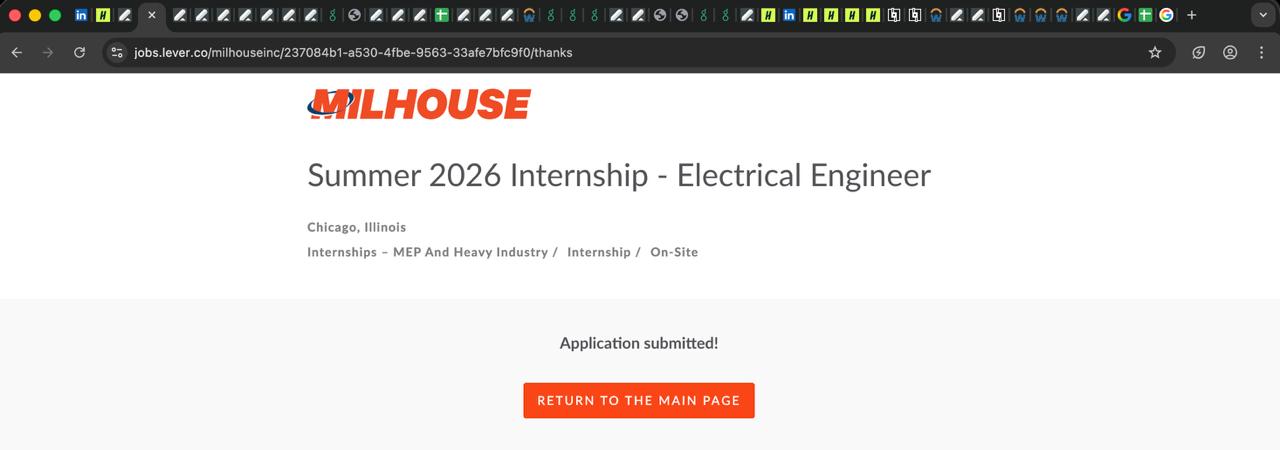
this is roughly what the session looked like once the workflow stopped being an idea and started behaving like a system.
that is basically what i did. and yes, the conversation that inspired this article is still running and still applying.
if this ends up actually helping me land an internship, i will write the follow-up post. for now, i am mostly confident about one thing: this is a dramatically better operating system for internship applications than doing the same form 200+ times with no automation and a half-updated spreadsheet.